 NotchTasks
An agent wants permission
See the exact command or file, then allow or deny. The agent continues the moment you answer.
For Claude Code, Codex, Gemini CLI, Cursor and more
NotchTasks puts every running agent and build at the top of your screen. When one needs permission, you allow or deny it right there, without hunting for the terminal.
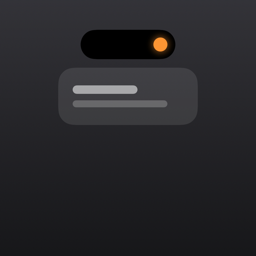
On a notched screen it grows out of the notch itself.
Nothing running, nothing shown. The notch opens by itself only when something is worth an interruption, and for you whenever you point at it.
See the exact command or file, then allow or deny. The agent continues the moment you answer.
Xcode, Gradle, npm, CI runners and more are detected on their own. You get one line when it finishes or fails.
Point at the notch: every agent and its session, your AI limits, what is playing, connected devices, a focus timer, a mirror and a shelf for files.
Pair once by scanning a code. From then on, what the notch shows reaches your phone, and your answer goes straight back.
Claude Code, Codex, Gemini CLI, Antigravity, Cursor and OpenCode. One switch each, with a backup of the config it touches.
If an agent is set to approve on its own, the notch stays out of the way and only shows its questions.
Start a focus session from either device. A small pixel companion keeps you company while you work.
Pick the icons, colors and animated characters on the notch, from the computer or from your phone.
No account. Your commands and code are never readable by us. Anonymous usage statistics, which you can turn off in Settings.
The apps follow your device language and switch instantly when you change it.
Yes. On a display without a notch, NotchTasks appears as a small floating island at the top of the screen and behaves the same way. That is also how it looks on Windows and Linux.
Claude Code, Codex, Gemini CLI, Antigravity, Cursor and OpenCode can ask through the notch. Many other tools are shown while they run.
Open NotchTasks on the computer, choose to pair a phone and scan the code with the phone app. The code carries the encryption key, which never leaves your two devices.
No. On the same Wi-Fi nothing leaves your network. Away from it, messages are encrypted on your devices before they are relayed.
The iPhone app is on its way to the App Store. The computer app is available today for macOS 14 or later, and for Windows 10/11 and Linux as a preview.
Free on the computer and on the phone. No account.
Paste this in Terminal. It installs NotchTasks into Applications and opens it.
curl -fsSL https://notchtasks.web.app/install.sh | bashOr download the disk image and drag the app into Applications: NotchTasks.dmg
Version 2.2 · macOS 14 or later
Paste this in PowerShell. It installs NotchTasks for you and opens it.
irm https://notchtasks.web.app/install.ps1 | iexOr download the installer. It is not code-signed yet: if Windows protects your PC, choose More info, then Run anyway.
Version 2.2 preview · Windows 10 or 11, 64-bit
Paste this in a terminal. It installs NotchTasks in your home folder, adds it to your apps and opens it.
curl -fsSL https://notchtasks.web.app/install.sh | bashOr install the package for Debian and Ubuntu: .deb x64 · .deb arm64
Version 2.2 preview · x64 and arm64 · Ubuntu 22.04+, Fedora and others with GNOME or KDE
The iPhone app pairs with your computer by scanning a code. It is on its way to the App Store.
Coming soon